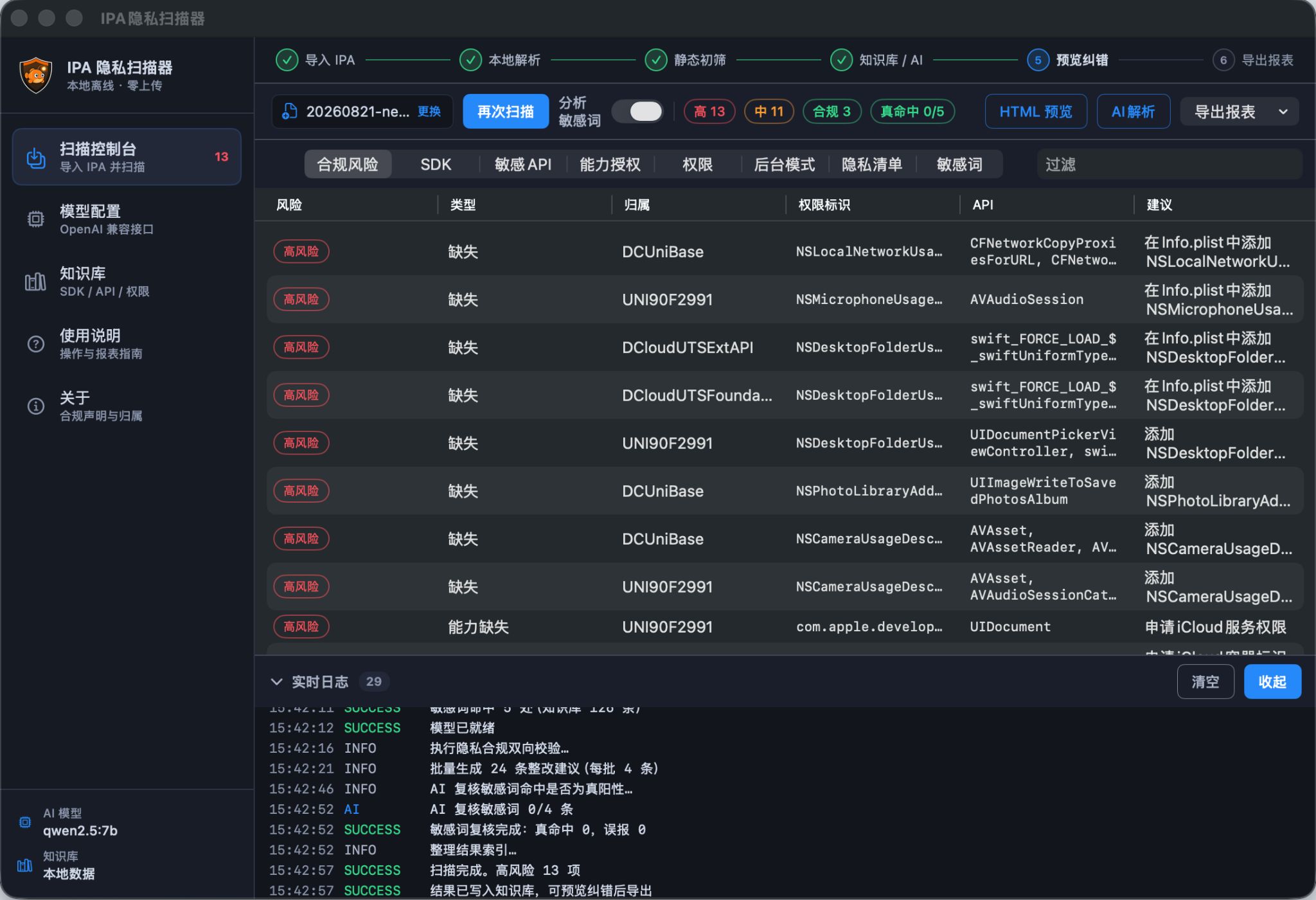
Apple is continuously strengthening the Guideline 5.1.1 automated pre‑review scanner. After IPA upload, static binary analysis is performed to inspect sensitive API calls, privacy manifest declarations and data collection behaviors of third‑party SDKs. Many developers receive 5.1.1 rejection not because of malicious business logic, but due to mismatches between actual binary behaviors, App Privacy answers and PrivacyInfo.xcprivacy descriptions. This article breaks down the detection mechanism of the pre‑review scanner, and provides practical self‑inspection and hardening workflows for Flutter, Unity, Cocos and Uni‑App projects. We also clarify the boundary between privacy compliance remediation and code obfuscation, avoiding treating obfuscation as a universal pass‑review trick.
What the 5.1.1 pre‑review scanner actually detects
This automated inspection runs static analysis on Mach‑O binaries without launching the app. It focuses on three types of evidence: Required Reason API invocations, tracking and device identifier interfaces, and undeclared data collection from embedded third‑party SDKs. Scan results are cross‑checked against App Store Connect privacy forms and PrivacyInfo.xcprivacy. Omissions or contradictions will trigger automatic blocking or manual review. Typical triggers include missing privacy manifests, undisclosed SDK collection logic, IDFA access without ATT prompt, and Required Reason APIs without justified usage descriptions. Note that the 5.1.1 privacy scanner, 4.3 binary similarity detector and 2.3.1 private‑API checker are independent parallel risk controls and cannot replace each other.
Can obfuscation and hardening eliminate 5.1.1 risks directly
A common misunderstanding exists: developers expect obfuscation to hide sensitive calls and bypass the 5.1.1 scanner. Crab needs to clarify that obfuscation renames classes and methods, transforms control‑flow and encrypts strings, weakens binary fingerprints and mitigates 4.3 multi‑package correlation. However, it cannot remove real privacy‑related invocations. As long as sensitive APIs remain inside the binary, Apple static analysis can still locate call sites. Pure obfuscation never replaces privacy manifests and authorized user consent workflows.
The correct strategy is compliance fixes for 5.1.1, plus obfuscation and hardening for binary fingerprint risk control. If you face multi‑package correlation and binary fingerprint detection at the same time, read iOS obfuscation versus hardening to choose a proper solution.
Frequent 5.1.1 pitfalls across different engines
Cross‑platform and game engines are more likely to hit 5.1.1 traps, because built‑in SDKs and underlying frameworks implicitly invoke collection interfaces invisible in business‑level source code.
Flutter projects: plugins introduce hidden analytics and device data collection. Many teams only audit Dart source and ignore native SDK binaries, leading to incomplete privacy manifests. You can use Crab Flutter iOS obfuscation to break native binary fingerprints while documenting every plugin’s data collection.
Unity and Cocos games: advertisement, analytics and push SDKs are top 5.1.1 triggers. Exported IPA merges multiple static libraries, making collection entry points hard to trace manually. Unity iOS hardening and Cocos iOS obfuscation handle complex binaries mixed with many SDKs, but privacy declarations must be completed beforehand.
Uni‑App multi‑package scenarios: reusing identical SDKs and native modules across clones causes both 5.1.1 warnings and 4.3 duplicate‑app rejection. Uni‑App iOS obfuscation generates independent binary fingerprints for each build and reduces cross‑package linkage, yet every clone requires separate privacy manifest and privacy policy configuration.
A practical pre‑review checklist before submission
Do not discover compliance issues only after uploading to App Store Connect. Insert a local pre‑audit step after CI packaging:
First, scan the IPA binary and list sensitive APIs, tracking interfaces and third‑party SDKs. Second, complete PrivacyInfo.xcprivacy with valid usage reasons for every Required Reason API. Third, verify App Privacy questionnaire, in‑app privacy policy link and ATT authorization prompt. Fourth, apply Crab obfuscation to disrupt binary fingerprints and lower 4.3 / 2.3.1 review risk. Finally, run external TestFlight beta review to catch 5.1.1 blocks in advance.
Conclusion
The core of the 5.1.1 pre‑review scanner is consistency validation between declared privacy statements and actual binary behaviors, not simple keyword matching. For stable approval, finish privacy compliance self‑audit first, then enable obfuscation and hardening only when binary fingerprint risks exist. If you work with Framework static libraries or complex merged SDK binaries, visit Framework iOS obfuscation. You may also check the FAQ page for more review risk control details.
Request a trial, then archive and submit
Download App Center, choose the General or Uni-app edition, then apply for a license on the registration-code page. The docs cover the operator steps.